Websites for associations
An association’s website is often updated by a volunteer, and the volunteer changes. When updates are written as messages, the next secretary has no publishing system to learn.
Add the autumn meeting to our events and make a sign-up form for it.
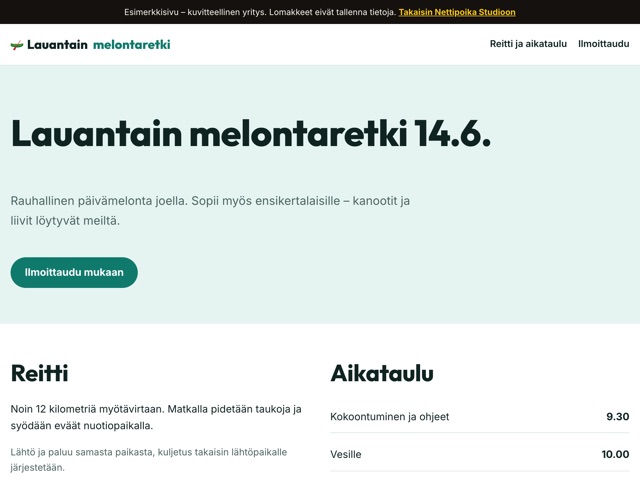
What an association website should have
- A short introduction: what the association does and who it is for
- Upcoming events with dates and places
- Event sign-up
- How to join and what the membership fee is
- The board and who to contact
- Rules, annual reports and minutes as PDF files
A new visitor first wants to know whether this is for them. Write one paragraph on the front page that says so plainly, and put the next event right below it.
Events and sign-ups
An event page gives the time, place, programme and what to bring. A sign-up form collects names and whatever else you need into the PostgreSQL database that comes with your plan. The Saturday canoe trip demo shows an example of an event with sign-up.
Ask on the form only for what running the event requires, and say on the site what the details are used for and when they are deleted. Once the event is over, the sign-up details can be deleted, and the event can be moved to past events on the site or removed altogether.
When the secretary changes
Association sites often go stale when the only member who knew how to update them leaves. In Nettipoika Studio an update is a message in plain language, so a new volunteer can start without training. The site’s code is kept in version history, and its source code and data can be exported from the dashboard.
One plan has room for several small websites within its shared capacity, for example the association’s site and a separate site for its event.
For members and newcomers
An association’s site has two readers: a member looking for the next event or the minutes of a meeting, and a newcomer thinking about joining. Gather the members’ things in a section of their own, and tell the newcomer on the front page how to join and what membership costs.
If the association has partners or sponsors, they can have a section of their own. A yearly calendar of the usual events and meetings also helps a new member see what the association does.
Before you share the address with members
- The next event’s time and place are right.
- The sign-up form asks only for what is needed.
- The board’s contact details are up to date.
- The joining instructions give the membership fee and how to pay it.
News and photos from events
A short news item after an event shows that the association is active. A few sentences and a couple of photos are enough. Write the news as a message, add the photos through the upload link and check the result in the preview before publishing.
Ask for permission at the event before you publish photos where people can be recognised, and take special care with photos of children. Location and camera data are removed from photos before publishing, but what the photo shows is the association’s decision.
What an association site costs
An association’s budget is often small, so costs need to be predictable. In Nettipoika Studio one plan covers maintenance, the address, a secure connection and support, and you are not billed per site. The price and trial length are shown below, and your own domain is paid separately to its provider. VAT receipts for the books and the audit are in the dashboard.
Example messages for everyday changes
How to get started
- Start the trial and choose an address from the association’s name.
- Describe the association’s activities, upcoming events and contacts in your first message.
- Add the rules and minutes as PDF files through the upload link.
- Make a test sign-up in the preview and check that the details are saved.
- Publish and share the address with your members.
Questions and answers
Can the association use its own domain?
Yes. Besides the free nettipoika.dev address, you can add the association’s own domain. The dashboard tells you which details to add to the domain’s settings, and the domain is paid separately to its provider.
Does whoever updates it need to code?
No. The change is written as an ordinary message, it shows in the preview first, and publishing puts exactly the version they checked online.
What happens after the trial?
The subscription continues at the monthly or annual price you chose. The first billing date shows before you approve, and you can stop the renewal in the dashboard before the trial ends.
Where do we get help?
Support answers email in Finnish, usually the next working day. If something doesn’t work, the AI can also report it to us for you.
Price and trial
Nettipoika Studio costs €18.83 a month or €125.50 a year, including Finnish VAT at 25.5 %. It includes keeping your site online, a free yourname.nettipoika.dev address with a secure connection, and support. You also get 500 credits every month for building; a simple site takes about 50 credits. The trial is free for 60 days, and all you need is an email address and a payment card. Your own domain, such as company.fi, is paid separately to its provider.
No time to do it yourself? We build the site for you from €299 + VAT. See our services
Try it free for 60 days
All you need is an email address and a payment card. We remind you before the first charge, and you can stop the renewal in the dashboard before the trial ends.