Websites for massage therapists
A massage client wants to know which treatments you offer, how long they take, what they cost and how to book. In Nettipoika Studio you tell the AI in your own words, check the site in a preview and publish when you are happy.
Make a site for my massage business: treatments with durations and prices, an introduction to my training, location and booking.
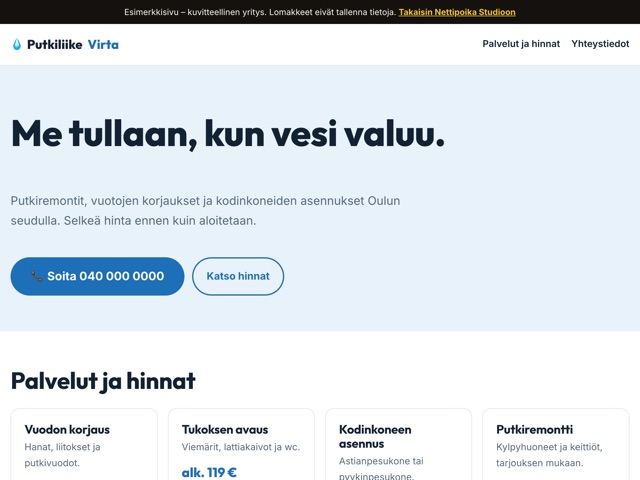
Treatments, durations and prices
The most important part of a massage therapist’s site is the list of treatments. Give each one a name, a duration and a price, for example classic massage for 30, 45 and 60 minutes. Add a short note on who it suits: an athlete, someone who sits at a desk all day, or someone who just wants to relax.
If you sell multi-visit or gift cards, give them a section of their own: what they include, how long they are valid and how to buy them.
An introduction builds trust
Massage clients come to a person. Tell them about your training, your experience and the kinds of problems you focus on. A photo of you and your treatment room helps a new client know what to expect.
Cover the practical things too: where you are, whether there is parking, whether it is wheelchair accessible and what clients should bring.
Booking by treatment length
In massage, the time a booking takes depends on the treatment. If you already use a booking service, the site gets a button that goes straight to its treatment list. If you want booking on your own site, tell the AI the treatment lengths and your working hours so the form offers only slots that fit. Bookings are stored in the database that comes with your plan.
A booking form collects your clients’ personal data. Ask only for a name and a way to reach them, and don’t ask for health details on the form unless you really need them before the visit.
Cancellations and late arrivals
An appointment that isn’t cancelled is an hour lost for a massage therapist. State clearly on the site how many hours ahead people must cancel, how they do it, and whether you charge for a missed visit. When the terms are visible before booking, they are easier to keep to.
Say what happens if a client is late, too: is the treatment shortened or the time moved? One clear paragraph is enough.
When a client searches for a massage therapist
People often search for a massage therapist by town and by problem, such as neck and shoulder pain or sports massage. Describe in each treatment what it suits, and mention your town naturally on the site. No search engine promises a ranking, but clear text tells it what the page is about.
The first visit and business clients
Many people are nervous before their first massage. Say briefly on the site what happens at a visit: how much time goes to a first conversation, what to wear and whether they can say if the pressure feels too strong. A paragraph like this makes it easier to book the first time, and it answers questions people would otherwise ask on the phone.
If you also work with businesses, for example at the workplace or as a staff benefit, give that a section of its own. Say what arrangements you offer and how a company gets in touch.
When massage is a side business
Many massage therapists work evenings and weekends. Then the site’s main job is to say when appointments are available, so nobody calls in vain in the middle of your day job. Write your hours clearly and update them with a message when they change. If you only answer the phone at certain times, say that too, and point other contacts to booking or email, so nobody is left waiting for an answer.
Example messages for everyday changes
How to get started
- Start the trial and choose an address for the site, for example from your business name.
- List your treatments with durations and prices, and your working hours, in your first message.
- Add a photo of yourself and your practice.
- Check in the preview that every price and duration is right.
- Publish and add the address to your social media profile.
Questions and answers
Do I need my own domain straight away?
No. You can start with the free nettipoika.dev address and add your own domain later. The secure connection is set up automatically.
Can I show different prices for different lengths?
Yes. List the treatments and their lengths in your message, and the price list follows them. When a price changes, you write the new price as a message.
What if I make a mistake in an update?
Changes show in the preview first, and the site’s code is kept in version history, so you can go back to an earlier version.
Can I stop at any time?
Yes. Stop the renewal in the dashboard and your access continues until the end of the paid period. You can export your site’s source code and data from the dashboard.
Price and trial
Nettipoika Studio costs €18.83 a month or €125.50 a year, including Finnish VAT at 25.5 %. It includes keeping your site online, a free yourname.nettipoika.dev address with a secure connection, and support. You also get 500 credits every month for building; a simple site takes about 50 credits. The trial is free for 60 days, and all you need is an email address and a payment card. Your own domain, such as company.fi, is paid separately to its provider.
No time to do it yourself? We build the site for you from €299 + VAT. See our services
Try it free for 60 days
All you need is an email address and a payment card. We remind you before the first charge, and you can stop the renewal in the dashboard before the trial ends.